


ECU OVERVIEW
Everything you need to know about your S-SERIES ECU with Switch Technology::
UNDERSTANDING THE ECU
What do the LED’s mean?
SYSTEM STATUS
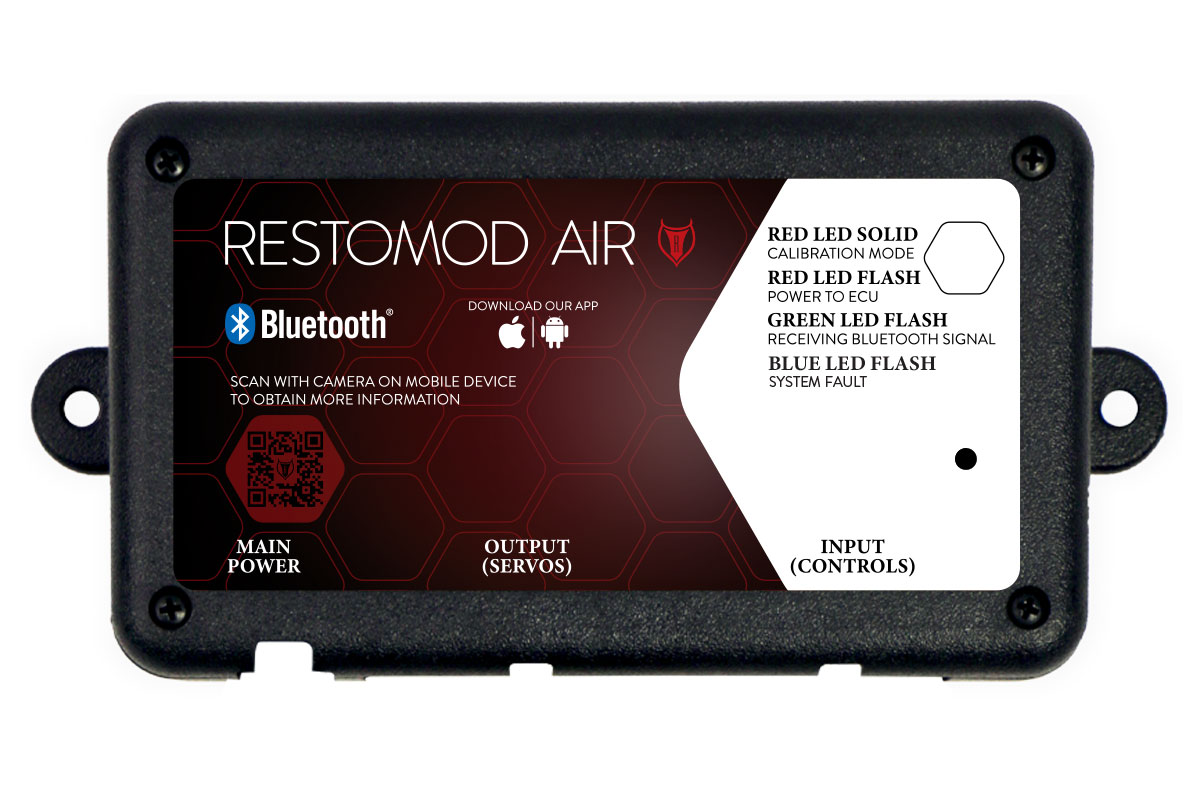
RED LED SOLID: Calibration Mode
A solid red LED indicates that the system is in the process of calibration. During calibration, each motor takes turns moving through its full range of motion to calibrate the open and closed positions. Once calibration is complete, the LED should start flashing red.
RED LED FLASH: Power To ECU
A flashing red LED indicates that the system is powered on and should be functioning correctly.
GREEN LED FLASH: Receiving Bluetooth Signal
A flashing green LED indicates that the system is receiving a Bluetooth signal. Your paired device should be able to control your system’s functions and provide current status updates along with diagnostic information.
SYSTEM FAULTS
BLUE LED FLASH: System Fault
A flashing blue LED indicates a system fault, usually due to the ECU not receiving the correct voltage, triggering a safety shutoff to protect the system. Ensure your system is directly connected to the battery and that you have secure power and ground connections.
CALIBRATION BUTTON:
The calibration button serves multiple purposes: it can calibrate, or factory reset the system and activate Bluetooth mode. To activate Bluetooth mode, press and hold the button for 1 second. The LED should start flashing green, indicating the ECU is ready to receive a Bluetooth signal.
For calibration mode, continue holding the button until the blower motor pulses (approximately 3 seconds), and the LED turns solid red.
To initiate a factory reset of the ECU, continue holding the button until the blower pulses twice quickly (around 10 seconds). You should see the LED flash red and yellow.
UNDERSTANDING THE ECU
What do the LED’s mean?
SYSTEM STATUS
RED LED SOLID: Calibration Mode
A solid red LED indicates that the system is in the process of calibration. During calibration, each motor takes turns moving through its full range of motion to calibrate the open and closed positions. Once calibration is complete, the LED should start flashing red.
RED LED FLASH: Power To ECU
A flashing red LED indicates that the system is powered on and should be functioning correctly.
GREEN LED FLASH: Receiving Bluetooth Signal
A flashing green LED indicates that the system is receiving a Bluetooth signal. Your paired device should be able to control your system’s functions and provide current status updates along with diagnostic information.
SYSTEM FAULTS
BLUE LED FLASH: System Fault
A flashing blue LED indicates a system fault, usually due to the ECU not receiving the correct voltage, triggering a safety shutoff to protect the system. Ensure your system is directly connected to the battery and that you have secure power and ground connections.
CALIBRATION BUTTON:
The calibration button serves multiple purposes: it can calibrate, or factory reset the system and activate Bluetooth mode. To activate Bluetooth mode, press and hold the button for 1 second. The LED should start flashing green, indicating the ECU is ready to receive a Bluetooth signal.
For calibration mode, continue holding the button until the blower motor pulses (approximately 3 seconds), and the LED turns solid red.
To initiate a factory reset of the ECU, continue holding the button until the blower pulses twice quickly (around 10 seconds). You should see the LED flash red and yellow.
HARNESSES
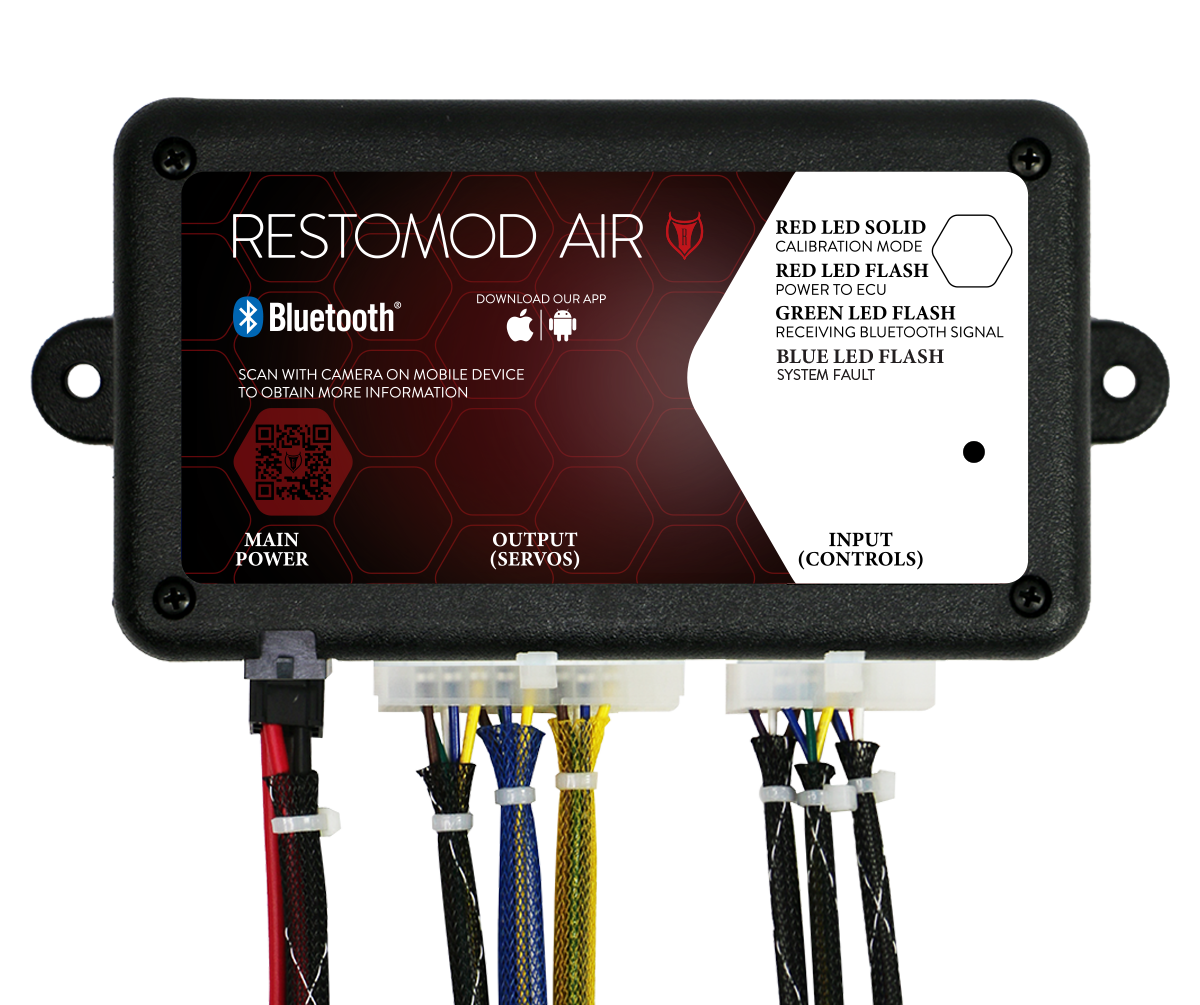
Restomod Air’s plug-and-play connections, combined with Simplified Wiring, enable you to confidently perform the installation yourself. Each port on the ECU is clearly labeled to distinguish between each plug, and each plug is of a different size, ensuring that only the correct plug can be inserted. The photo shows how the harnesses connect to the ECU.
HARNESSES
Restomod Air’s plug-and-play connections, combined with Simplified Wiring, enable you to confidently perform the installation yourself. Each port on the ECU is clearly labeled to distinguish between each plug, and each plug is of a different size, ensuring that only the correct plug can be inserted. The photo shows how the harnesses connect to the ECU.