UPGRADE NOW!
NEW S-SERIES
The S-SERIES wiring system with Switch Technology is all about Simplified Wiring for easier installs. Restomod Air’s plug n play connections allow you to be confident in doing the installation yourself. We have taken out all the guesswork on wiring.
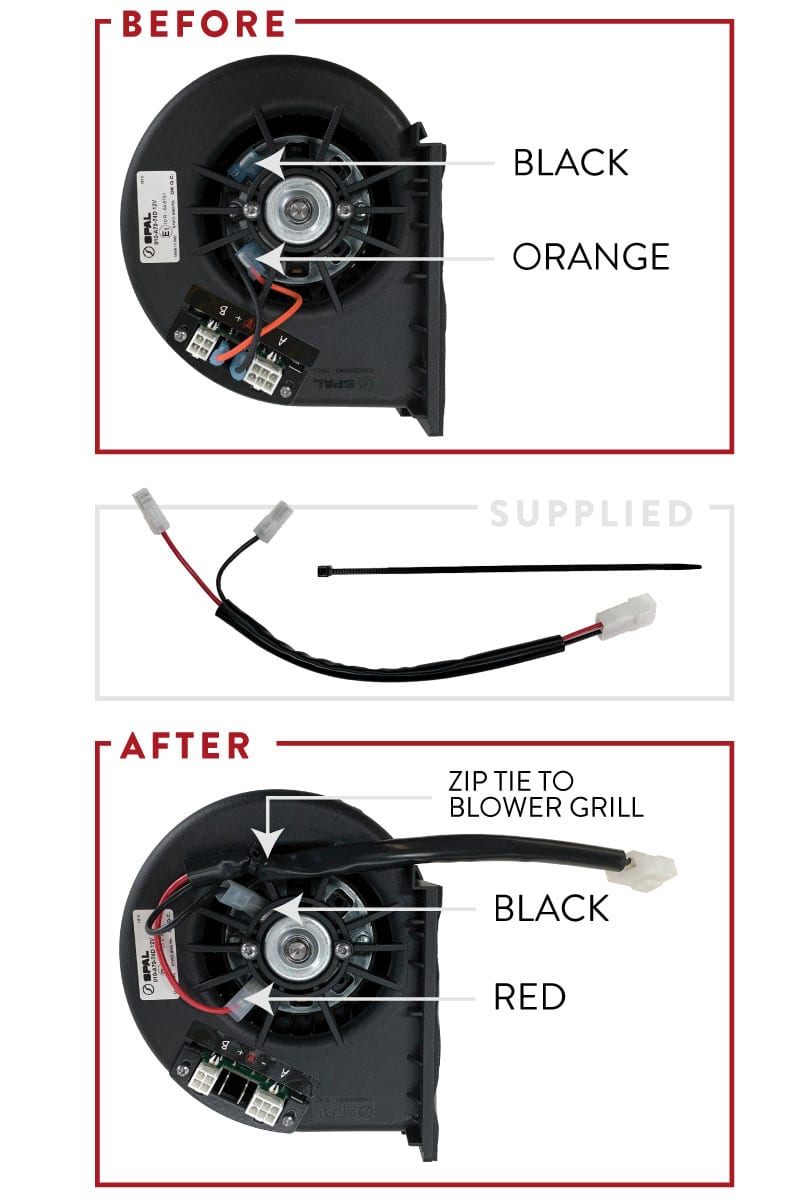
PREVIOUS EDITON BLOWER MOTOR TO S-SERIES
STEP 1
Remove blower from unit
STEP 2
Remove orange & black wires from motor. Make sure you pay close attention to location of black wire.
STEP 3
Locate new harness. Replace the black wire with the black wire on the new harness. Replace the orange wire with the red wire on the new harness.
STEP 4
Use supplied zip tie to secure wires to the blower grill.
STEP 5
Re-install blower to the unit.
STEP 6
Wire the system with the new harnesses using the supplied wiring diagram on the next page.
FEATURES
BLUETOOTH
You will never have obsolete technology with the S-Series wiring system. Every time there is an update on a feature you can have it that day. Why wait?
SWITCH TECHNOLOGY
Switch Technology allows you to bounce back and forth between the app, hard control and remote control. You do not have to pick from a controller mounted in your dash, remote control or having the app downloaded on your mobile device.
SIMPLIFIED WIRING
Only three cables plug into the ECU. Power, Servo, and Controls; that’s it. If by chance you want to check out more on the a/c system, pull out your phone camera, scan the QR code on the ECU, and get additional information.
ADVANCED DIAGNOSTICS
No longer do you have to spend hours trying to find the cause of a problem. Just let the most advanced software take care of it for you.

ECU OVERVIEW
Everything you need to know about the ECU:
UNDERSTANDING THE ECU
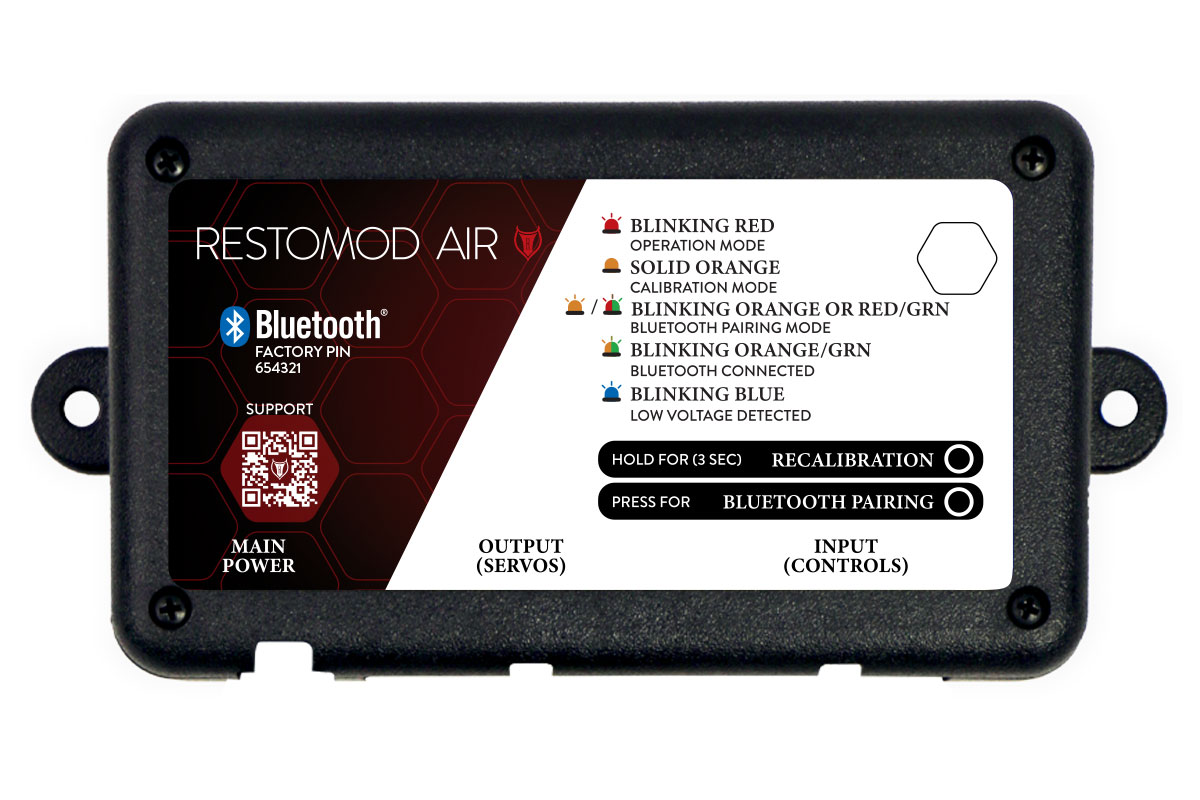
What do the LED’s mean?
- BLINKING RED : Operation Mode
- SOLID ORANGE: Calibration Mode
- BLINKING ORANGE OR RED/GREEN: Bluetooth Pairing Mode
- BLINKING ORANGE & GREEN: Bluetooth Connected
- BLINKING BLUE: Low Voltage Detected / Bad Ground
HARNESSES
The photo shows how the harnesses connect to the ECU.

CONTROL
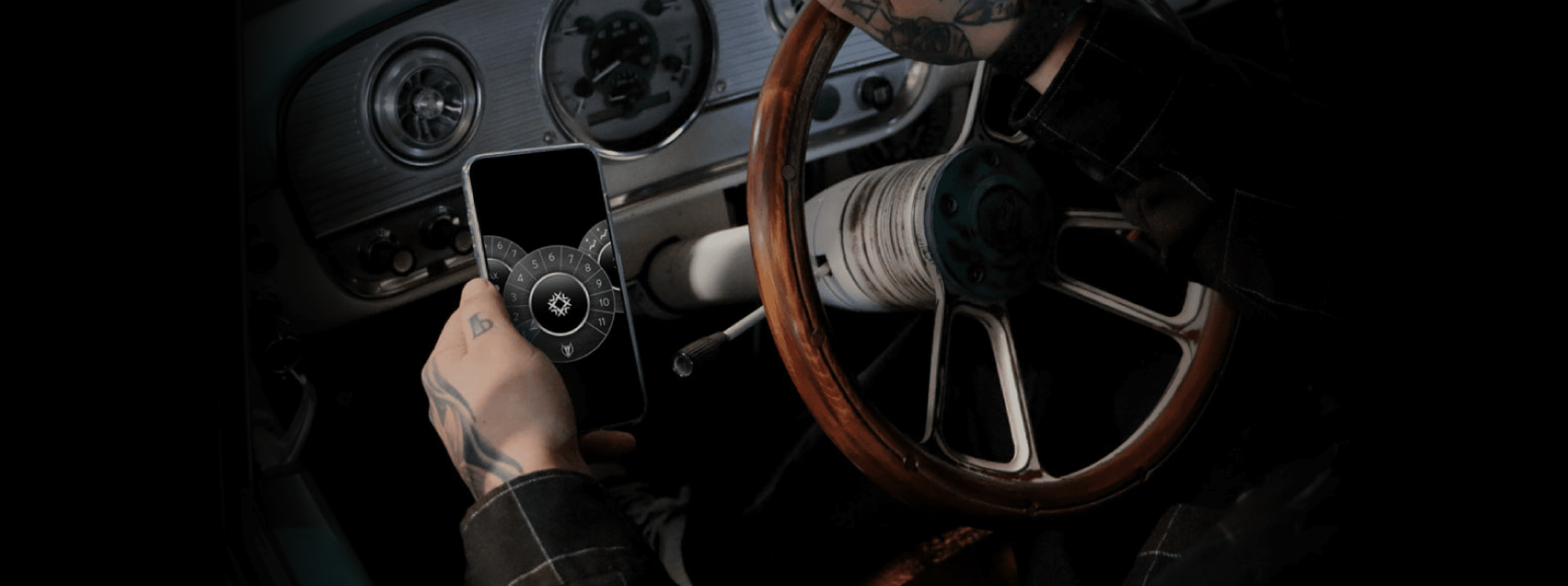
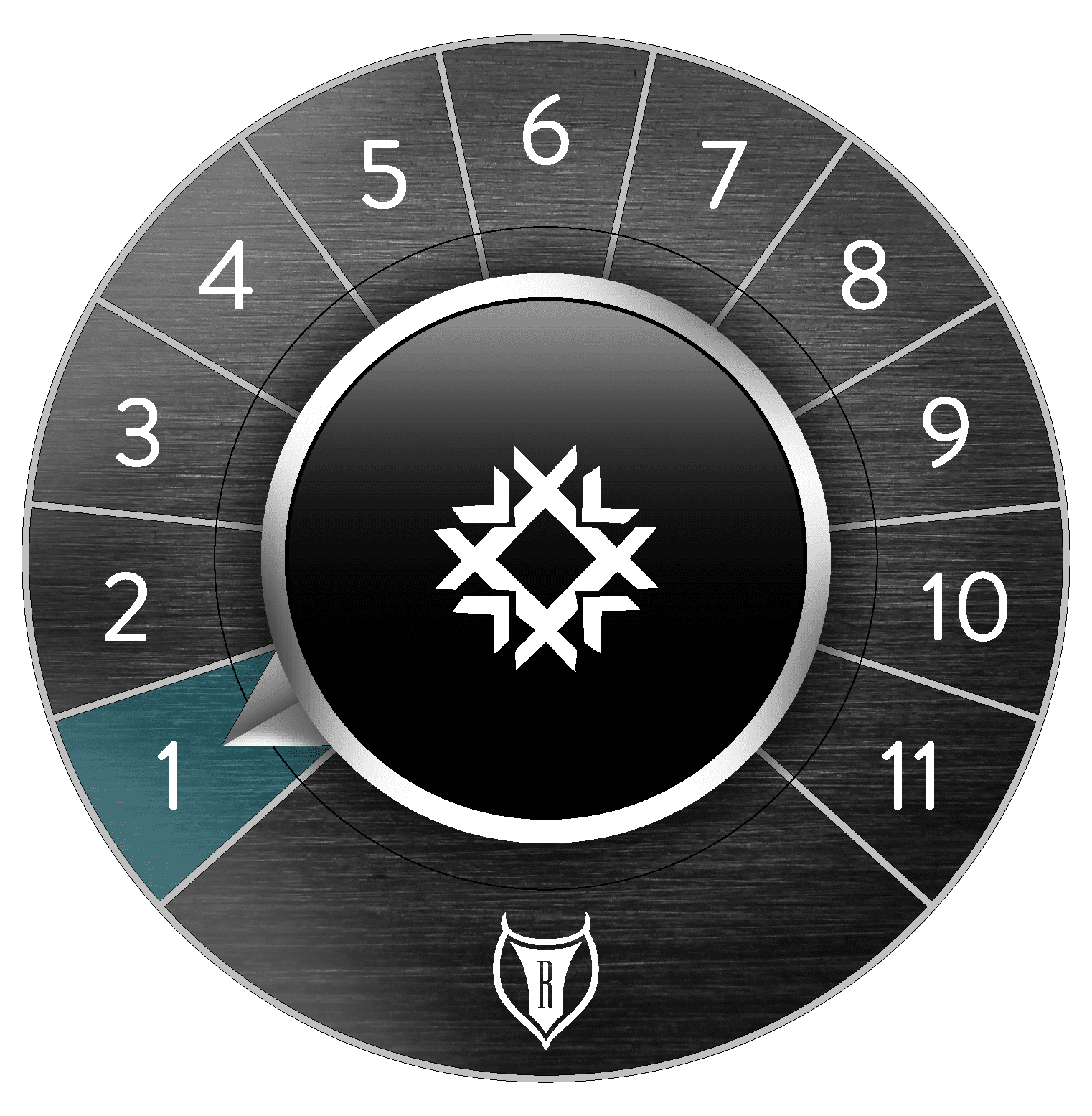
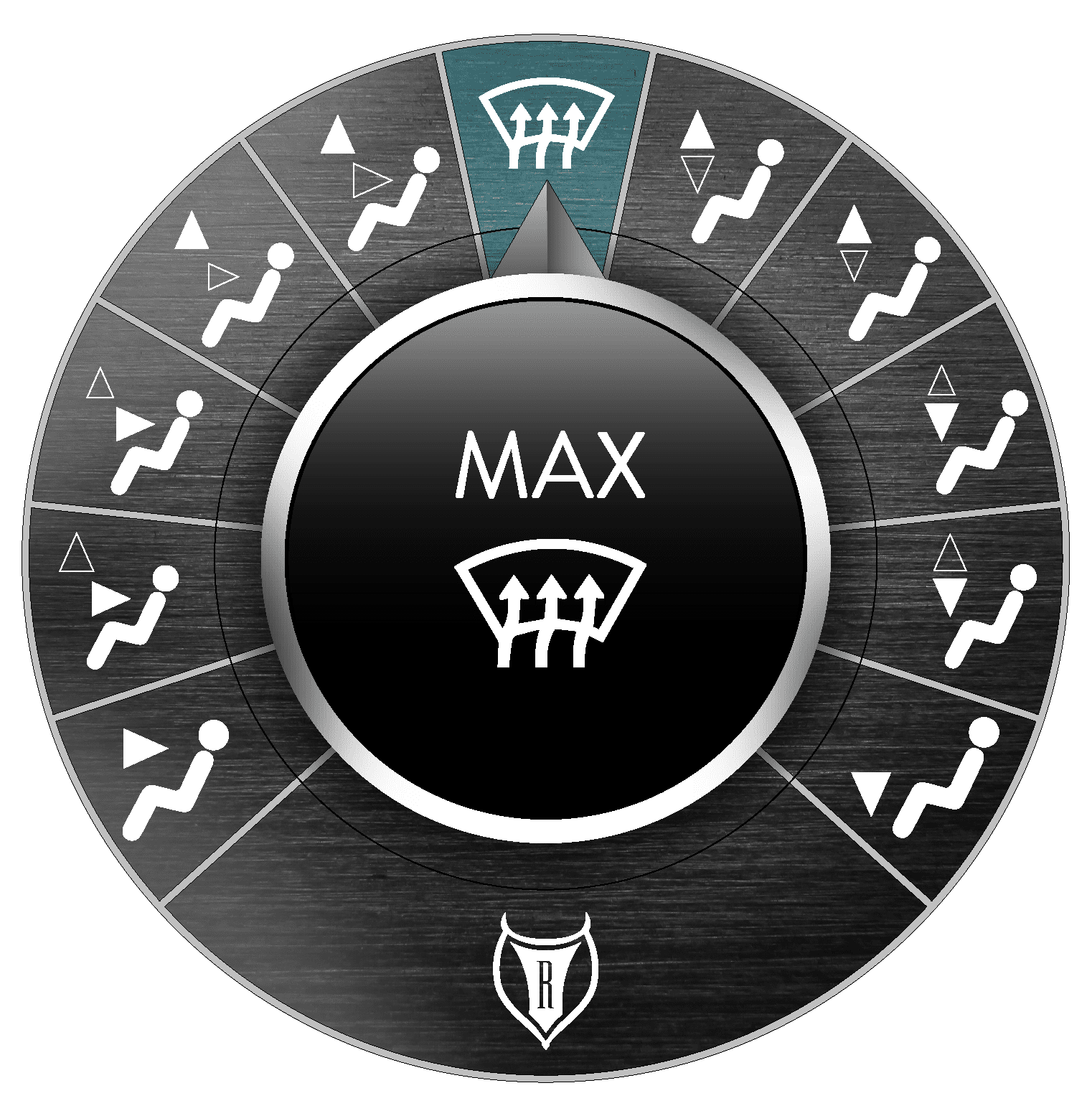
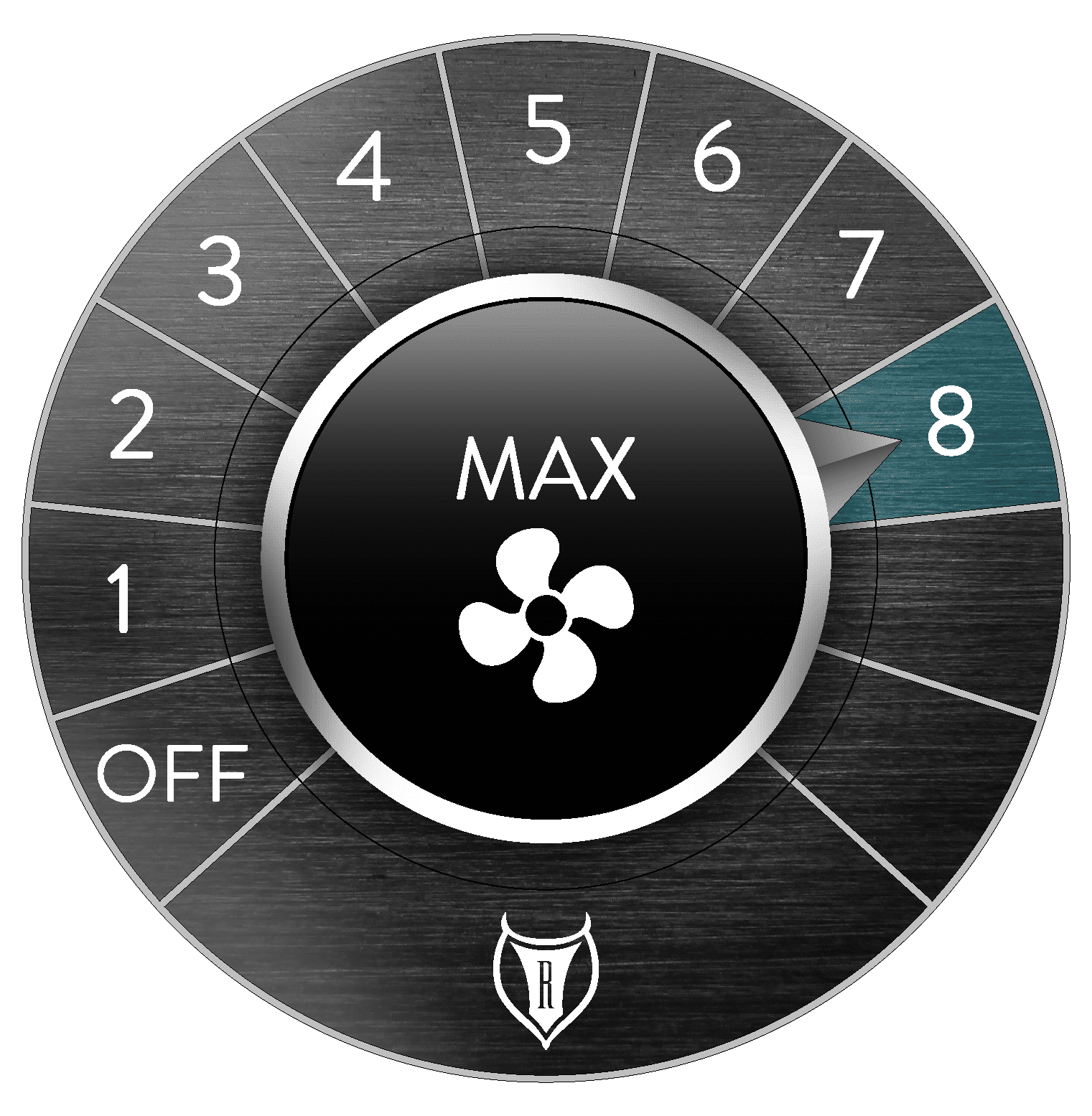
Switch Technology allows you to bounce back and forth between the app, hard control and remote control. Controlling your a/c system through the app is simple. All you have to do is swipe through the three knobs until the one you’d like to adjust is at the front of the screen and set the knob to your desired setting.
TEMPERATURE
Adjust the temperature to your preference by tapping the numbers around the dial. For the coldest temperature, set the dial to “1”. For the hottest, set the dial to “11”.
MODE
Adjust to different functionality using the mode dial by tapping the icon to the desired location. You will choose from a blend of dash, floor, or defrost.
FAN
Adjust the blower by tapping the desired fan speed.
ADVANCED DIAGNOSTICS
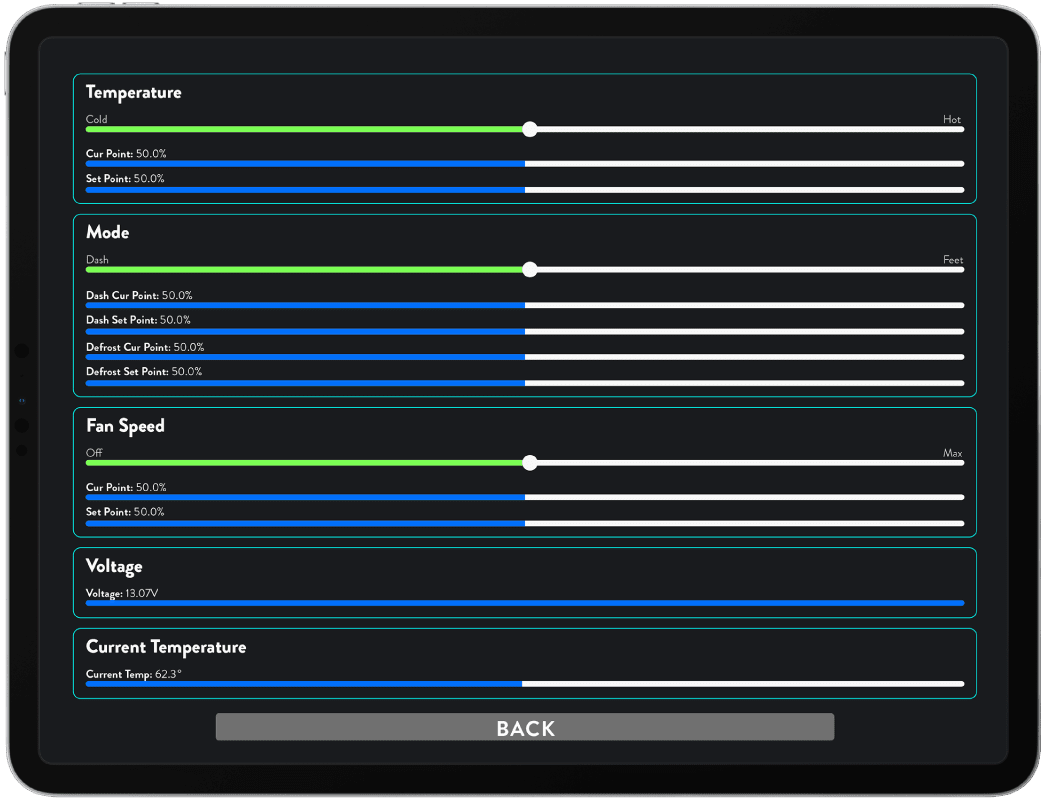
Within the app, you can self-diagnose and troubleshoot with our advanced diagnostics. You can also check how your a/c system is functioning in the diagnostics screen. See the voltage, current temperature, position of control and motor for your temperature, mode, and fan speed.
TEMPERATURE
Check the temperature of your a/c system in the diagnostics screen. See your current point and the set point of the system.
MODE
Check the mode of your a/c system in the diagnostics screen. See where the system is set between dash and feet. Also see your dash current point, dash set point, defrost current point and the defrost set point.
FAN SPEED
Check the fan speed of your a/c system in the diagnostics screen. See your fan speed position between off & max, current point and the set point of the system.
VOLTAGE + CURRENT TEMPERATURE
Check the voltage & current temperature of your a/c system.