

BANTAM II B/T, VAPIR III B/T & HAYMAKER II B/T
SYSTEM NOT COOLING
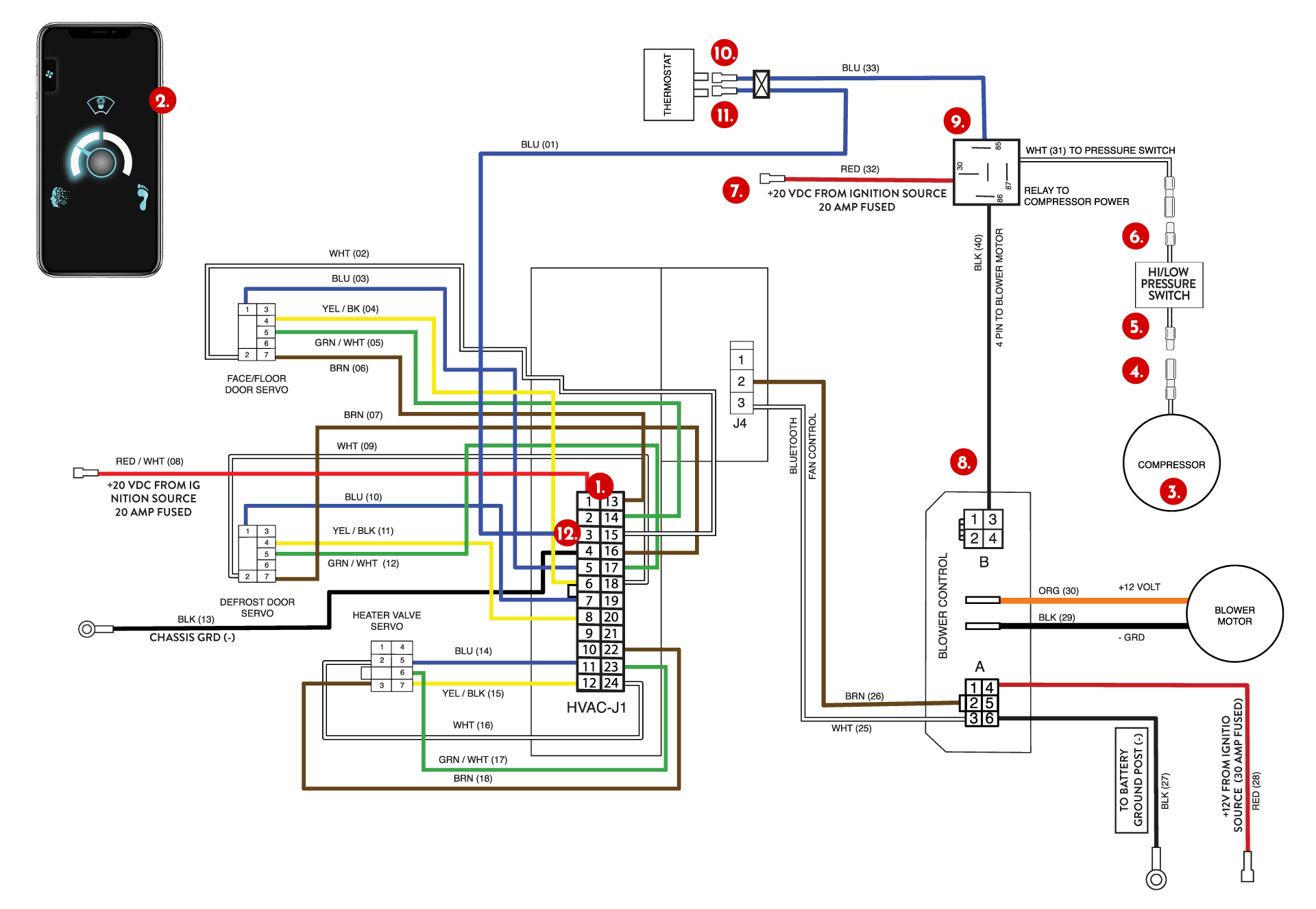
1. DOOR FUNCTIONS? 12+ VOLTS ON RED/WHITE (#72) WIRE?
- YES → Continue to step 2.
- NO → Check fuse, power supply, grounds to ECU & recheck cooling.
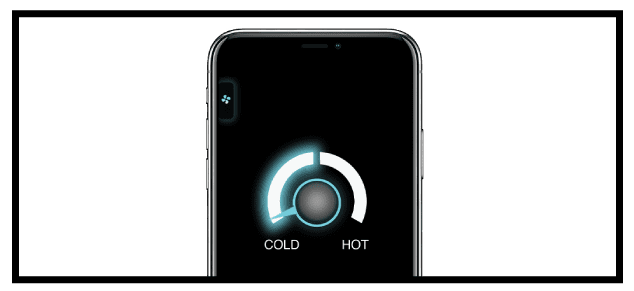
2. TEMPERATURE CONTROL KNOB IN COLD?
- YES → Continue to step 3.
- NO → Change temperature to cold through the Atmosphere app temperature screen & recheck cooling.
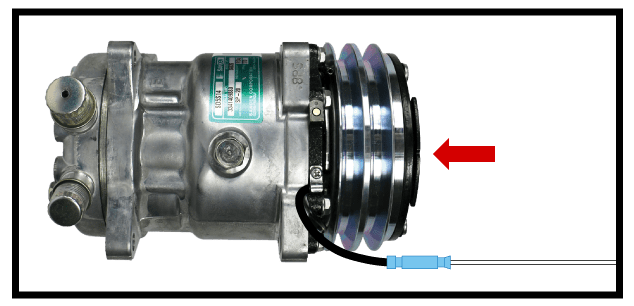
3. IS THE COMPRESSOR ON?
With vehicle on, the front of the compressor will be spinning & a “click” sound heard when engaging.
- YES → Check water valve.
- NO → Continue to step 4.
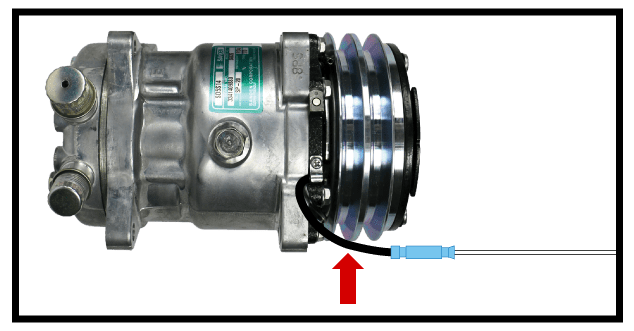
4. USING A VOLT METER, CHECK FOR 12 VOLTS AT COMPRESSOR CONNECTION
Compressor ground wire is on the compressor and is fully grounded when compressor is mounted to the engine. In some circumstances, polished or chrome compressors will not ground nicely to engine.
- YES → Check ground of the compressor & recheck cooling.
- NO → Continue to step 5.
5. CHECK FOR 12 VOLTS ON THE COMPRESSOR SIDE OF PRESSURE SWITCH
- YES → Check wiring for break in wire between pressure switch and compressor.
- NO → Continue to step 6.
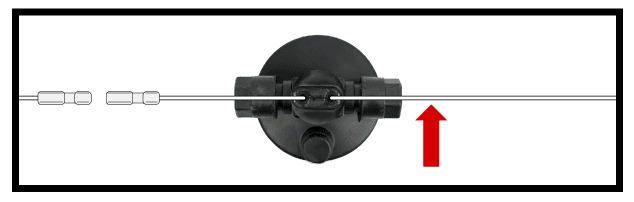
6. CHECK FOR 12 VOLTS ON RELAY SIDE OF PRESSURE SWITCH
- YES → Check refrigerant levels. Charge appropriately and recheck cooling.
- NO → Continue to step 7.
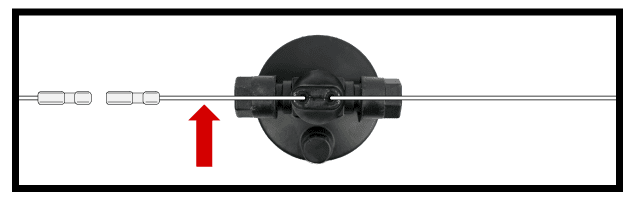
7. 12+ VOLTS ON ORANGE (#76) WIRE ON RELAY
- YES → Continue to step 8.
- NO → Replace the fuse & recheck cooling.
8. CHECK FOR GROUND ON BLACK (#80) WIRE ON RELAY
- YES → Continue to step 9.
- NO → Remove 4 pin plug (#74) from blower module and ground to chassis & recheck cooling.
9. CHECK FOR GROUND (-) AT BLUE WIRE AT COMPRESSOR RELAY
- YES → Replace relay & recheck cooling.
- NO → Continue to step 10.
10. CHECK FOR 12 VOLTS ON EXIT SIDE OF THERMOSTAT BLUE (#79) WIRE
- YES → Check for break in wire between thermostat & relay.
- NO → Continue to step 11.
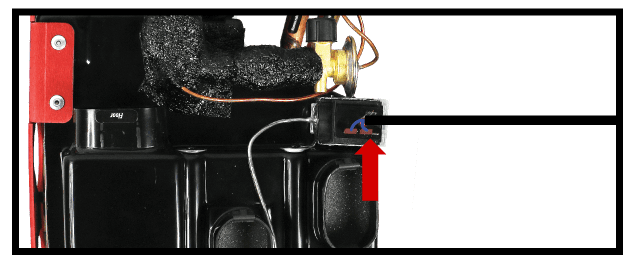
11. CHECK FOR 12 VOLTS ON ENTERING SIDE OF THERMOSTAT BLUE (#73) WIRE
To test a faulty thermostat, “jump” two blue wires across to each other & test the cooling. If this corrects cooling issue, the thermostat needs to be replaced.
- YES → Replace thermostat & recheck cooling.
- NO → Continue to step 12.
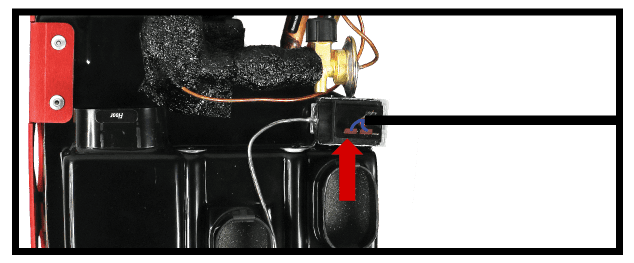
12. UNPLUG DIODE AND CHECK FOR 12V ON WIRE FROM ECU
- YES → Replace diode. Contact us for a replacement.
- NO → Contact tech support for further testing.